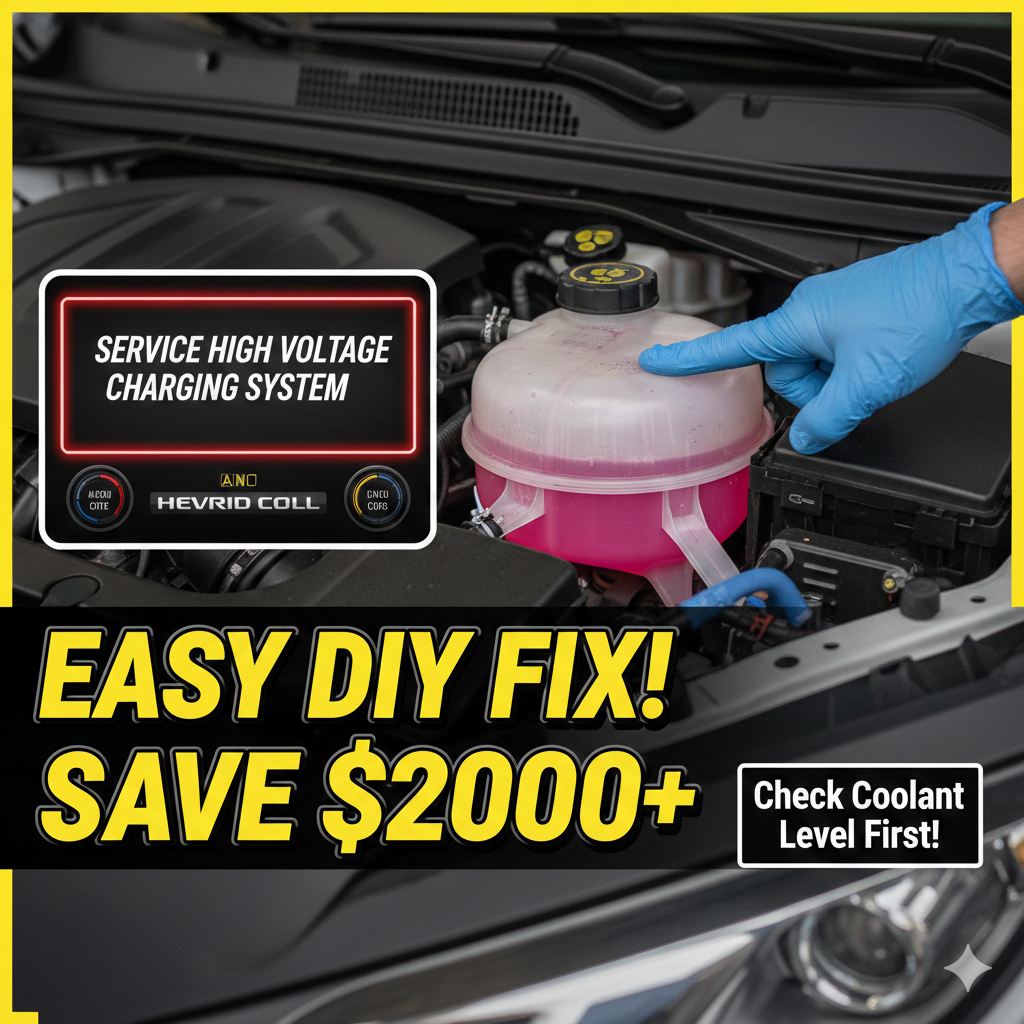
How to Fix the “Service High Voltage Charging System” Warning on Chevrolet Volt
If you have a Chevrolet Volt from 2011 to 2019 it can be really upsetting to see the “Service High Voltage Charging System” message on your dashboard. This message is very important. It will not let your Chevrolet Volt charge, which means your Chevrolet Volt will only use gas until you get it fixed.
In this guide we will tell you what causes this problem how much it will cost to fix and the Technical Service Bulletins you need to know about to get your Chevrolet Volt on the road, with the Chevrolet Volt working properly again.
What Causes the High Voltage Charging Message?
The alert sounds really scary. It is usually because of one of three things. If you know what these things are you can save yourself a lot of money on repairs that you do not need.
- The Onboard Charger Module is failing
This happens a lot, 40% to 60% of the time. The Onboard Charger Module is the part that changes the power from your home outlet or Level 2 EVSE into the kind of power the battery can use. If the Onboard Charger Module fails the system has a problem talking to the charger.
- There are problems with the Charging Port and the sensor
The Charging Port is outside so it gets exposed to the weather. After a while this can cause problems like corrosion or bent pins or water can get inside. Even a tiny crack in the Charging Port can let humidity in which can cause a ground fault.
- The Electric Vehicle has software problems or “False Alarms”
It is interesting that 15% of these warnings are because of the software. If the firmware in the Energy Management System of the Electric Vehicle is old it can cause a problem that will not go away even if the rest of the Electric Vehicle is fine. The Electric Vehicle will still have a problem even if you fix the hardware because of the software issue, with the Energy Management System of the Electric Vehicle.
Estimated Repair Costs (Parts & Labor)
Repairing a Chevy Volt’s high voltage system requires specialized technicians. Here is what you can expect to pay in the US market:
| Component | Average Dealer Cost | Independent Specialist |
| Onboard Charger Module | $1,500 – $2,500 | $1,100 – $1,800 |
| Charging Port Assembly | $800 – $1,200 | $550 – $900 |
| Coolant Level Sensor Fix | $200 – $400 | $100 – $250 |
| Software Reflash | $150 – $300 | $100 – $200 |
Pro Tip: Ask your mechanic about remanufactured parts. You can often save 30% to 40% by using certified refurbished modules instead of brand-new OEM parts.
Crucial Diagnostic Steps: TSBs to Mention
Before you let a shop take apart your battery pack make sure they look at these Technical Service Bulletins or TSBs:
- TSB 21NA108 and TSB 22NA045. They have updated steps for figuring out problems with charging. Most of the time it is a software issue, not a hardware failure.
You should also do the “Coolant Loop” check. A low hybrid coolant level or a bad sensor, in the reservoir can cause this warning. So always check your levels first.
How to Prevent Future Charging Failures
To make your Volts high-voltage system last a time you should do a few things.
First you need to keep the charging port clean. You should check it every now and then for dirt or water.
When you are charging your Volt try to do it in a garage if you can. This will help keep the battery from getting too hot or too cold.
When you take your Volt in for its check ask the people at the dealership to see if there are any new Energy Management System updates for your Volts Energy Management System.
DIY Fix: “Service High Voltage Charging System” & “Unable to Charge” on Chevy Volt/Cadillac ELR
If you have a Chevrolet Volt or a Cadillac ELR it can be really scary to see the “Service High Voltage Charging System” or “Unable to Charge” warning. A lot of Chevrolet Volt and Cadillac ELR owners worry that they will have to pay a lot of money to replace the battery.. The problem is usually not that serious. The real problem is often that the Chevrolet Volt and Cadillac ELR have Hybrid Battery Coolant.
In this guide we will show you how to find the reservoir for your Chevrolet Volt or Cadillac ELR how to fill it up safely and how to reset the system for your Chevrolet Volt and Cadillac ELR. This might save you a trip to the dealership, for your Chevrolet Volt or Cadillac ELR.
The Hidden Cause: Why Your Volt Won’t Charge
This error message usually happens when the cars computer finds out that the coolant level for the hybrid battery is not enough. The system stops the car from charging to protect the battery from getting too hot when it is being charged. This protection kicks in until the problem is fixed.
Identifying The Correct Reservoir
When you open the hood of the car you will see three tanks that hold coolant. It is very important to know which one is which:
- Engine Coolant is on the passenger side. This is the tank for the engine that uses gasoline.
- The Power Electronics Tank is in the center. Front of the car. This tank is part of a system that uses two tanks.
- The Hybrid Battery Tank is, on the drivers side. This is the tank you need to check. You can find it on the side of the part that holds two tanks.
How to Check and Fill the Hybrid Battery Coolant
General Motors used to say that long as the fluid was above the middle line of the tank the car was okay.. A lot of people who own these cars had problems even when the fluid was at that level.
Now General Motors has a rule. To avoid getting messages that say the car is “Unable to Charge” the coolant level has to be all the way up to the top of the sticker on the reservoir.
Here are the steps to fill it up:
- Remove the safety bracket that General Motors put on. This is a metal piece that locks over the cap to stop people from filling it themselves. You can take it off by unbolting it. You can do what a lot of people do and carefully bend it back to get to the cap.
- Use the kind of fluid. You have to use -mixed Dex-Cool that is half and half or you can mix 100% Dex-Cool with water that has no extra minerals in it. Do not use water from the tap because it has minerals that can cause problems in the high-voltage system of the General Motors car.
- Fill it up to the line. Keep filling the reservoir until the fluid reaches the top of the sticker.
- Put the cap on. When you are done filling it up put the cap on and bend the safety bracket back, to its original position so it is snug again.
How to Reset the Error Code
Filling the gas tank does not fix the issue away. The Service High Voltage code is a kind of fault that stays in the cars system. It needs to be cleared with a tool.
- Use an OBD2 Scan Tool: You can connect a scanner or a Bluetooth adapter with a smartphone app to the OBD2 port, in your car.
- Clear All Codes: clear the Permanent or Active codes.
The result is that once you clear the codes the Service High Voltage message and the Check Engine light should go away. Your car should start charging again. Service High Voltage issue should be resolved.
What if the Message Returns?
If you fill up the coolant and the message comes back there are two things that might be happening.
The first thing is a leak. You should check the coolant level a lot. If it is going down you might have a leak in the radiator or the part that holds the battery.
The other thing that might be wrong is the sensor. If the coolant level is full. You are still getting the error message, the sensor inside the coolant tank might be broken. In the United States a lot of people who own cars use something called a Coolant Bypass/Defeat Plug, which is also known as a WOT plug to get around a sensor that is not working.
You should also know that if you own a Chevrolet Volt or a Cadillac ELR it might still be under warranty. Many Chevrolet Volts and Cadillac ELRs are covered by the 8-year / 100,000-mile Hybrid Powertrain Warranty. If your car is still, under this warranty you might be able to get it fixed for free at a dealership that is certified to work on your car.